Bank reconciliation statement in accounting PDF: template, examples, and preparation guide
Use a bank reconciliation statement in accounting pdf to compare balances, resolve differences, and keep clear records.
Key Takeaways
A bank reconciliation helps you explain the difference between your records and the bank’s records, then confirm that both arrive at the same adjusted balance.
- Compare the bank statement with your cash book or accounting ledger for the same period.
- Separate timing differences from transactions that need to be recorded in your books.
- Use a PDF template with clear fields for balances, adjustments, and supporting notes.
- Check each transaction and investigate any difference that remains after adjustments.
- Save the completed statement and supporting documents for review and future reference.
What a bank reconciliation statement is
A bank reconciliation statement brings two views of the same account together: the balance reported by your bank and the balance in your accounting records. If you are looking for a bank reconciliation statement in accounting pdf, the central purpose is to document why those balances differ and how they agree after appropriate adjustments. You can use it to spot omissions, errors, and transactions that have not yet appeared on both sides. It is a practical record of the checks you made, not just a final number.
How it compares bank and book balances
Your bank statement records activity processed by the bank, while your cash book or ledger records activity entered by your business. You compare each transaction for a defined period, then account for items that appear in one record but not the other. The comparison leads to an adjusted bank balance and an adjusted book balance; those two figures should match once the reconciliation is complete.
Why the two balances may differ
A difference does not always mean someone made a mistake. A deposit may be recorded in your books before the bank processes it, or a check may be recorded as issued before it is presented for payment. Bank fees, interest, and automatic payments can also appear on the bank statement before you enter them in your books. The first step is to identify the cause, rather than changing a balance simply to make the figures agree.
How it fits into the accounting cycle
Reconciliation is part of routine cash control and period-end bookkeeping. When you complete it regularly, you can correct the books while transactions and supporting records are still easy to trace. It also gives a reviewer a clear account of which differences are temporary and which required an entry. A consistent process makes the statement useful beyond the month-end close, including during later reviews of cash activity.
What information the statement should include
At a minimum, record the account and reconciliation period, the closing balance from the bank statement, the cash book balance, each adjustment, and the resulting adjusted balances. Include transaction dates, descriptions, and amounts where they help someone retrace your work. The statement should also leave room for a preparer and reviewer to note completion and approval. Clear detail makes it easier to follow the logic without reopening every source document.
What to look for in a PDF template
A useful template gives you enough structure to show how you reached the reconciled balance without crowding the page. It should distinguish bank-side timing differences from book-side adjustments, and provide space for descriptions and amounts. Before choosing a layout, consider whether you will complete it on screen, print it, or retain it as part of a digital working-paper file. If the statement itself is a scanned PDF, guidance on extracting statement data can help you consider how transaction details might be prepared for review.
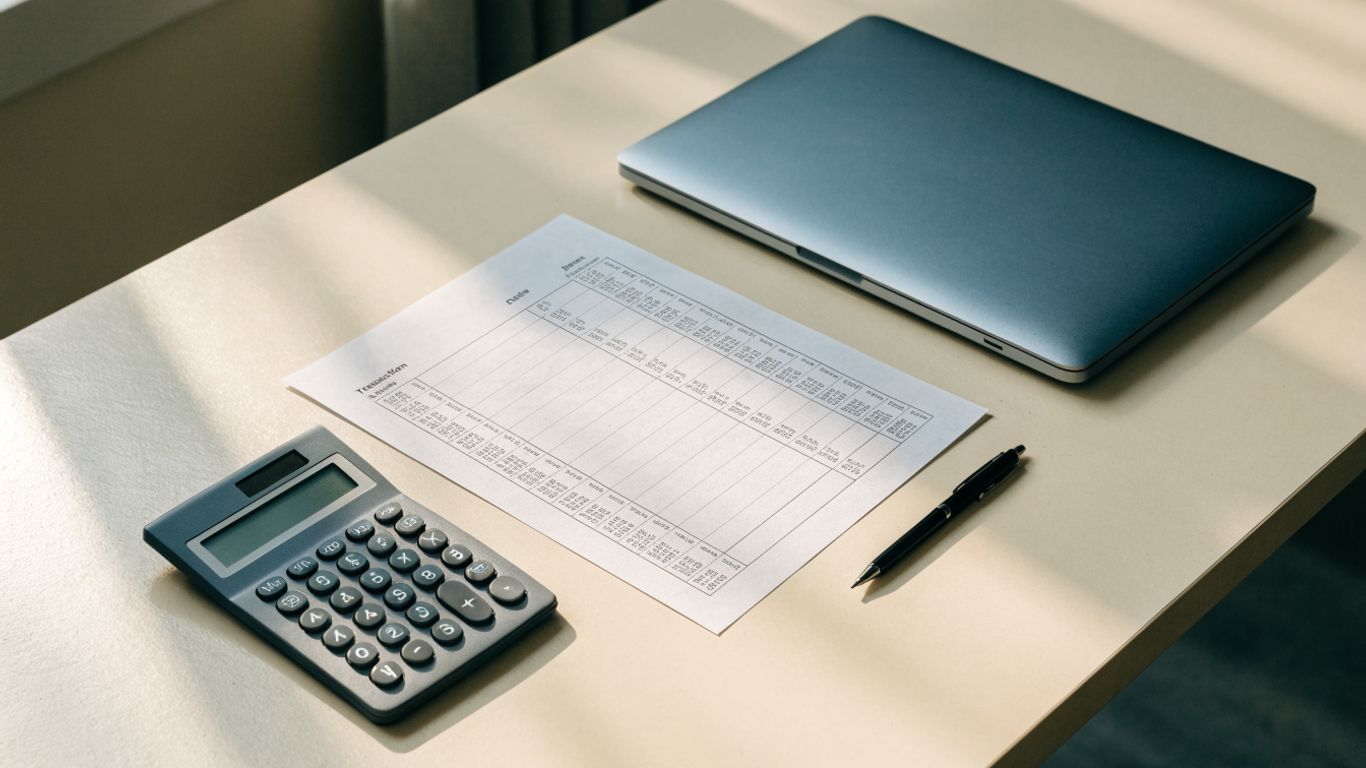
Essential fields and balance sections
Look for fields identifying the account, period, preparer, and reviewer, followed by separate sections for the bank and book balances. Each adjustment should have a label and amount, so a reader can tell whether it is a deposit in transit, an outstanding payment, or an item to enter in the books. A simple layout might organize the information like this:
| Section | Information to record | Why it helps |
|---|---|---|
| Account details | Account name and period end date | Identifies the records being compared |
| Bank balance | Closing balance per bank statement | Establishes the bank-side starting point |
| Timing items | Deposits in transit and outstanding checks | Explains differences not yet processed by the bank |
| Book adjustments | Fees, interest, and other unrecorded items | Shows changes needed in the accounting records |
| Adjusted balances | Final bank and book figures | Makes agreement easy to verify |
After the table, check that the template provides a clear total for each side and space to describe unusual items. A form that separates timing items from book adjustments reduces the risk of applying an item to the wrong balance.
How to choose a printable or fillable format
A printable PDF can work well when you prefer handwritten notes or need a signed paper file. A fillable PDF is more convenient when you want to type descriptions and amounts, save revisions, or share a digital copy with a reviewer. Choose a version that remains legible when printed and does not force long transaction descriptions into tiny fields. Know Your Bank Statement extracts transaction data from digital or scanned bank statement PDFs and converts it into structured Excel, CSV, or JSON files, which can give you data to review before filling out a reconciliation template.
Checks for clarity, accuracy, and usability
Before using a template for a live account, confirm that the arithmetic is visible and that the layout does not mix bank-side items with entries that belong in your books. Check for an explicit reconciliation date and room for references to supporting documents. If you work from a statement PDF, compare extracted figures with the original before relying on them; bank statement PDF conversion guidance discusses checking transaction fields and converted data. A template should support your review, not hide the source of a number.
When to adapt a template for your business
You may need additional lines if you reconcile multiple accounts, record many outstanding checks, or want a reviewer to initial each section. Adapt labels to match the terms used in your accounting records, but preserve the distinction between timing differences and book entries. If a template has become cramped or unclear, revise it before the next period rather than squeezing in notes that another person cannot interpret. Keep any revised version consistent across periods so comparisons remain straightforward.
How to prepare the statement
Work from records that cover the same account and cutoff date, and keep the source documents close at hand. The process is a comparison, not a fresh estimate of your cash balance: every adjustment should connect to a transaction or a documented timing difference. If you need digital transaction data from a PDF, Know Your Bank Statement supports extraction from digital and scanned bank statement PDFs, with output in Excel, CSV, or JSON. Review converted details against the original because extraction quality depends on the statement’s quality and layout.
Gather the bank statement and accounting records
Start with the bank statement for the period and the corresponding cash book, general ledger, or accounting-system activity. Confirm the account, dates, and opening balance before comparing individual transactions. Gather related records such as deposit slips, check details, and notices of bank charges so you can investigate differences as they arise. A short preparation routine can keep the comparison focused:
- Confirm that the bank statement and ledger refer to the same account.
- Check that both sets of records cover the same period and cutoff date.
- Locate supporting details for deposits, checks, transfers, and adjustments.
- Note the opening and closing balances before marking transactions as matched.
Once these basics are in place, you can distinguish a genuine mismatch from activity that falls on opposite sides of the cutoff date. If you use extracted data, keep the original PDF available for verification.
Compare deposits and identify deposits in transit
Match each deposit in your books to a credit on the bank statement, checking the date and amount rather than relying on a similar description alone. A deposit recorded before the cutoff but processed by the bank afterward is generally a deposit in transit. List it as a bank-side adjustment for the period, then check the following statement to confirm that it cleared. If a deposit does not appear later, investigate it instead of carrying it forward without explanation.
Match payments and identify outstanding checks
Compare checks, electronic payments, and other withdrawals recorded in your books with debits shown by the bank. A payment entered before the period end but not yet processed by the bank is an outstanding item. Confirm that the amount and payee or reference match, and list valid outstanding payments as adjustments to the bank balance. Review old items carefully; an amount that remains outstanding for a long time may require follow-up rather than automatic carryforward.
Record bank charges, interest, and other adjustments
The bank may post fees, interest, direct deposits, or automatic payments that you have not yet entered in your books. These are book-side adjustments: record them in the accounting records, using the appropriate account and date, then include them in the reconciliation. Avoid treating a missing book entry as a timing difference on the bank side. The distinction matters because the reconciliation explains the balance while the journal entry updates your records for future periods.
Calculate and verify the adjusted balances
After listing the valid adjustments, calculate the bank-side and book-side totals independently. Add deposits in transit and subtract outstanding payments from the bank balance; adjust the book balance for items such as fees or interest that were not yet recorded. Then compare the two adjusted figures. If they do not agree, trace the remaining difference through the source records rather than adding an unexplained balancing amount.
How to read a worked example
A worked example shows how the two balances can differ even when the underlying records are accurate. Suppose your bank statement closes at $8,420, while your cash book shows $8,715. You have a $1,250 deposit not yet processed by the bank and $940 in outstanding checks; your books have not yet recorded $35 of interest or a $20 bank fee. The adjustments explain the difference in a way that can be checked line by line.

Start with the bank statement balance
Begin with the closing balance shown on the bank statement: $8,420. Use the statement’s balance for the reconciliation date, not a balance from a later day or a running total from the middle of the period. The starting point should be easy for a reviewer to locate in the source document. Record it before adding or subtracting any reconciling items.
Adjust for timing differences
The $1,250 deposit is already in your books but has not cleared the bank, so add it to the bank balance. Subtract the $940 in outstanding checks because those payments are in your books but have not yet reduced the bank’s reported balance. The adjusted bank balance is $8,730: $8,420 plus $1,250 minus $940. These are timing adjustments, not new transactions to record again in your books.
Start with the cash book balance
Now start on the book side with $8,715. Since the bank has already added $35 of interest, increase the book balance by that amount. Since the bank also deducted a $20 fee, decrease the book balance by $20. The resulting adjusted book balance is $8,730, which matches the adjusted bank figure.
Record items that need journal entries
The interest and fee need to be entered in your accounting records so the cash book reflects the bank’s activity. Record each item with an appropriate date and account, and retain the bank statement as support. The deposit in transit and outstanding checks do not need to be entered again if they were already recorded correctly. That difference between timing items and unrecorded book activity prevents duplicate entries.
Confirm that both adjusted balances agree
The example reconciles because both adjusted balances equal $8,730. If you arrive at a different result, recalculate each adjustment and confirm that it belongs on the correct side. Then check transaction amounts and whether any item was counted twice or omitted. Agreement is a useful check, but the supporting details still need to be accurate and complete.
Common reconciliation problems and solutions
When a reconciliation does not tie, resist the temptation to force the numbers to match. Small differences can come from a duplicated entry, a transposed amount, or a transaction recorded in the wrong period. Review the bank statement and books systematically, then document what you found and how you corrected it. For examples of typical issues, see these bank reconciliation problems and use them as prompts for investigation rather than assumptions about your own account.
Duplicate or missing transactions
A duplicate transaction can make a book balance too high or too low depending on whether it is a deposit or payment. Search both records by amount, date, payee, and reference, especially when descriptions differ. If an item is absent from one record, determine whether it is a timing difference or an actual omission before making an entry. Correct duplicates in the books carefully and preserve a note of the change.
Incorrect amounts or posting dates
A transposed digit or a mistyped decimal can create a difference that does not match any obvious transaction. Compare the recorded amount with the original bank detail or supporting document, and verify that the transaction falls within the reconciliation period. If the amount is correct but the date is wrong, check whether it belongs in a different period. A clear correction trail helps prevent the same error from carrying forward.
Bank fees and automatic payments not recorded in the books
Monthly fees, interest, and automatic withdrawals may appear on the bank statement before they are entered in your ledger. Identify each item, confirm that it belongs to the business, and record it in the books using the appropriate account. Then reflect it as a book adjustment for the reconciliation. If an automatic payment is unfamiliar, investigate the authorization and payee before treating it as routine.
Old outstanding checks and deposits
An item that remains outstanding across several periods deserves attention. Check whether a check was lost, voided, or replaced, and whether a deposit was delayed or entered with the wrong details. Follow your organization’s procedures for correcting or reversing stale items; do not simply remove them to make the current reconciliation balance. Keep a record of the investigation and its outcome.
What to investigate when balances still do not match
Recheck the opening balances first, then confirm the period cutoff and account. Compare every unmatched transaction for amount, date, and direction, and make sure each adjustment appears only once. Also verify that a deposit was not entered as a withdrawal, or vice versa. If the discrepancy persists, document the remaining difference and ask a reviewer to trace it with you; unresolved items should stay visible until explained.
How to use and maintain your PDF
A completed reconciliation is most useful when someone can understand how it was prepared and locate the evidence behind each figure. Treat the PDF as part of a repeatable recordkeeping process: preserve the original statement, maintain a copy of the completed reconciliation, and make changes traceable. If you extract transaction details from scanned or digital statements, Know Your Bank Statement can convert those PDFs into structured Excel, CSV, or JSON data for review; keep the source statement available to verify the extracted results. The template and supporting files should make the work easier to follow, not replace review.
Save a copy for each reconciliation period
Save a separate completed statement for each account and period, using a consistent file name that identifies both. Avoid overwriting a prior month’s reconciliation when correcting a later one. If you make a correction, keep an appropriate record of the revision according to your organization’s process. A consistent archive makes it easier to retrieve a particular period without guessing which file is final.
Keep supporting documents with the statement
Retain the bank statement and relevant transaction support alongside the reconciliation, or use clear references that point to where those documents are stored. Supporting records may include deposit details, payment references, and journal entries for bank-originated items. Organize them so a reviewer can follow an adjustment from the reconciliation back to its source. This also helps you answer questions that arise after the period has closed.
Review and approve the reconciliation
A reviewer should check the starting balances, adjustment logic, arithmetic, and supporting records. They should also confirm that required book entries were posted and that any unexplained difference has been raised rather than concealed. Record who prepared and reviewed the statement and when the review took place. A clear approval trail helps distinguish completed work from a draft.
Protect financial information when sharing files
Bank statements and reconciliation records can contain sensitive personal and business information. Share only with people who need access, use your organization’s approved file-sharing method, and avoid sending unprotected documents through informal channels. Before sharing a file, check that it contains only the relevant account and period. These simple habits reduce unnecessary exposure of financial details.
Update the process as accounts or software change
Revisit your template when you add an account, change accounting systems, or alter who prepares and reviews the reconciliation. Confirm that fields still match the records you use and that the cutoff process remains clear. If transaction data is converted from PDF, review the output against the statement before importing or relying on it. A small process update can prevent old assumptions from becoming recurring errors.
Conclusion
A reliable bank reconciliation is built from clear source records, careful matching, and adjustments that are easy to explain. Choose a PDF layout that makes the bank and book sides distinct, verify the figures against their supporting documents, and investigate differences rather than forcing a balance. With a consistent review and filing routine, each statement becomes a useful record of your cash activity and the decisions behind it.
Frequently Asked Questions
What is a bank reconciliation statement?
It is a record that compares a bank account balance with the balance in your accounting records and explains the adjustments needed for the figures to agree.
How often should you reconcile a bank account?
Many businesses reconcile accounts monthly, after the bank statement is available. Your schedule may vary based on transaction volume and internal procedures.
What is a deposit in transit?
A deposit in transit is an amount recorded in your books by the reconciliation date but not yet processed by the bank. It is typically added to the bank statement balance during reconciliation.
What is an outstanding check?
An outstanding check is a payment recorded in your books that the bank has not yet processed. It is typically subtracted from the bank statement balance.
Do bank fees require a journal entry?
If a fee appears on the bank statement but is missing from your books, you generally record it in the accounting records using an appropriate account and date.
What should you do if the adjusted balances do not match?
Recheck the opening balances, period cutoff, transaction amounts, and adjustment calculations. Investigate unmatched items and document any difference that remains instead of inserting an unsupported balancing figure.
Can you use a PDF for a bank reconciliation?
Yes. A PDF can be used as a printable or fillable reconciliation form, provided it has clear fields for balances, adjustments, and review details and you retain the supporting records.